Daily EOD reports for your fuel station, in your inbox by 7am.
Forecourt sends you automated end-of-day reports every morning, with daily reconciliation against your Zoho Books. Spend less time on admin and more time running your stations.
Automated end-of-day reports
Daily summaries of your sales, expenses, and reconciliation, delivered to your inbox every morning. No spreadsheets, no manual data entry.
Daily Zoho reconciliation
Forecourt connects to your existing Zoho Books and reconciles your shift data daily — bank deposits, card settlements, and cash all matched against your accounts.
Multi-station support
Run multiple stations from one Forecourt account. Each station's data stays separate; reports roll up where you need them.
Management accounts pack
Monthly P&L, balance sheet, and cash flow reports — generated from your daily data, ready for your accountant. Includes visual summaries of your top expenses, monthly performance, and asset composition.
- 01
Get in touch
Tell us about your station and we'll set up your Forecourt account.
- 02
Connect Zoho
Link your existing Zoho Books account. Forecourt starts pulling your chart of accounts and history. (Don't have Zoho yet? We can help you migrate as part of onboarding.)
- 03
Receive daily reports
Get automated end-of-day summaries in your inbox every morning, with monthly management accounts on demand.


Install Forecourt on your phone
Add Forecourt to your home screen and it opens like an app, straight to your dashboard, no browser bar. Nothing to download from an app store.
Use Safari. Chrome and in-app browsers on iPhone can't install it.
- 01
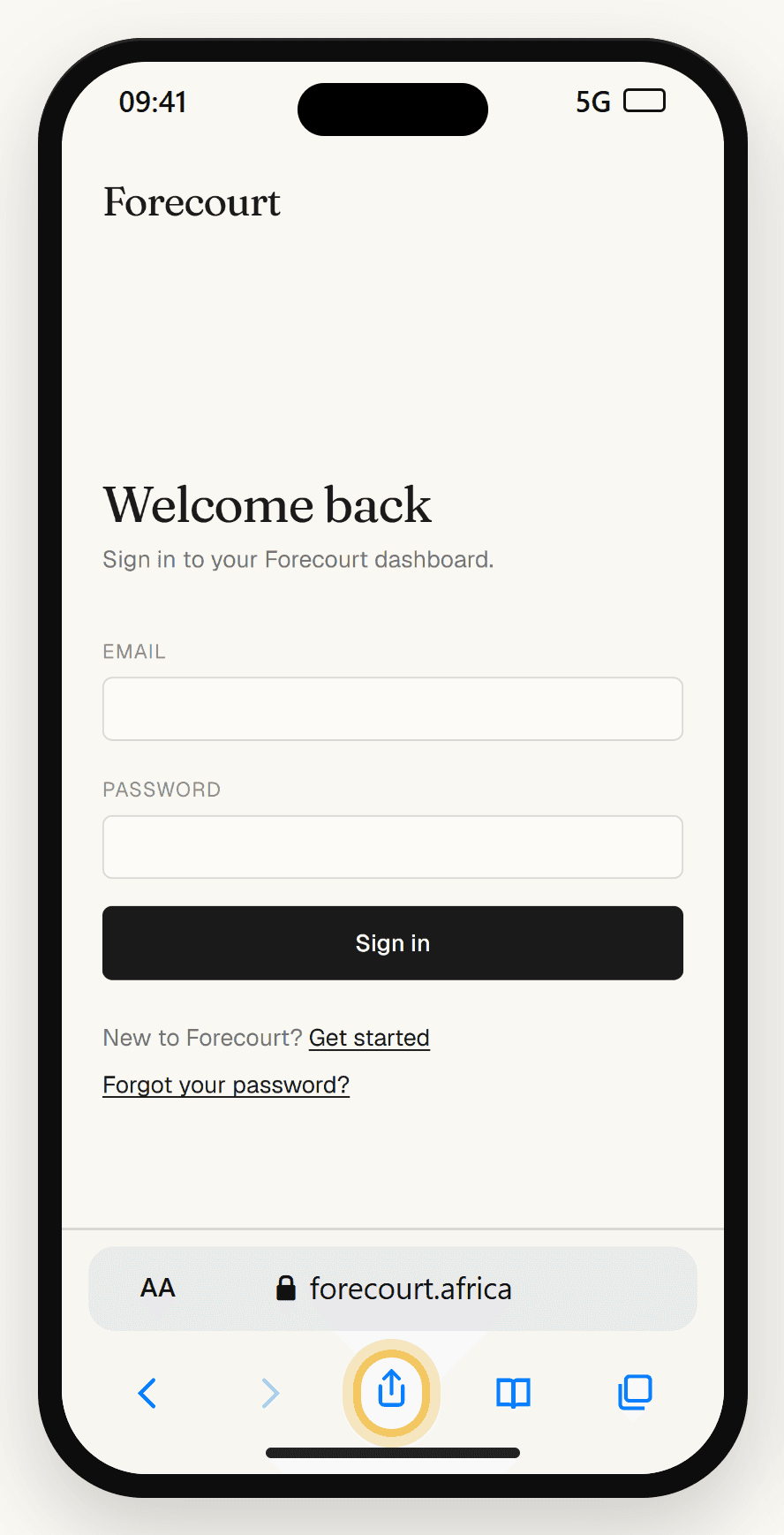
Tap the Share button
Open forecourt.africa in Safari. The Share button is the square with an arrow, in the bar at the bottom. On some iPhones the bar is at the top, or behind the ••• button.
- 02
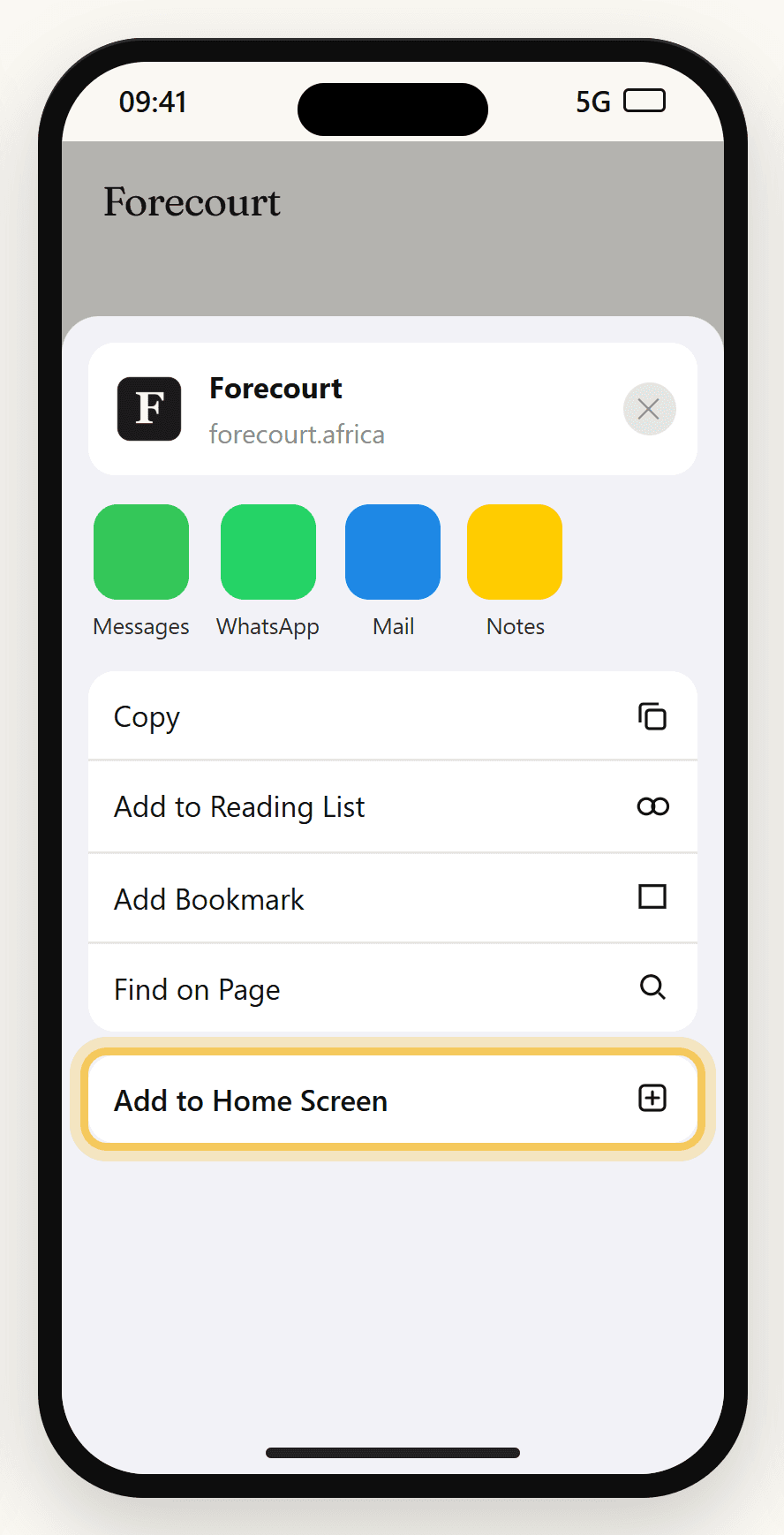
Choose Add to Home Screen
Scroll down the list if you don't see it straight away.
- 03
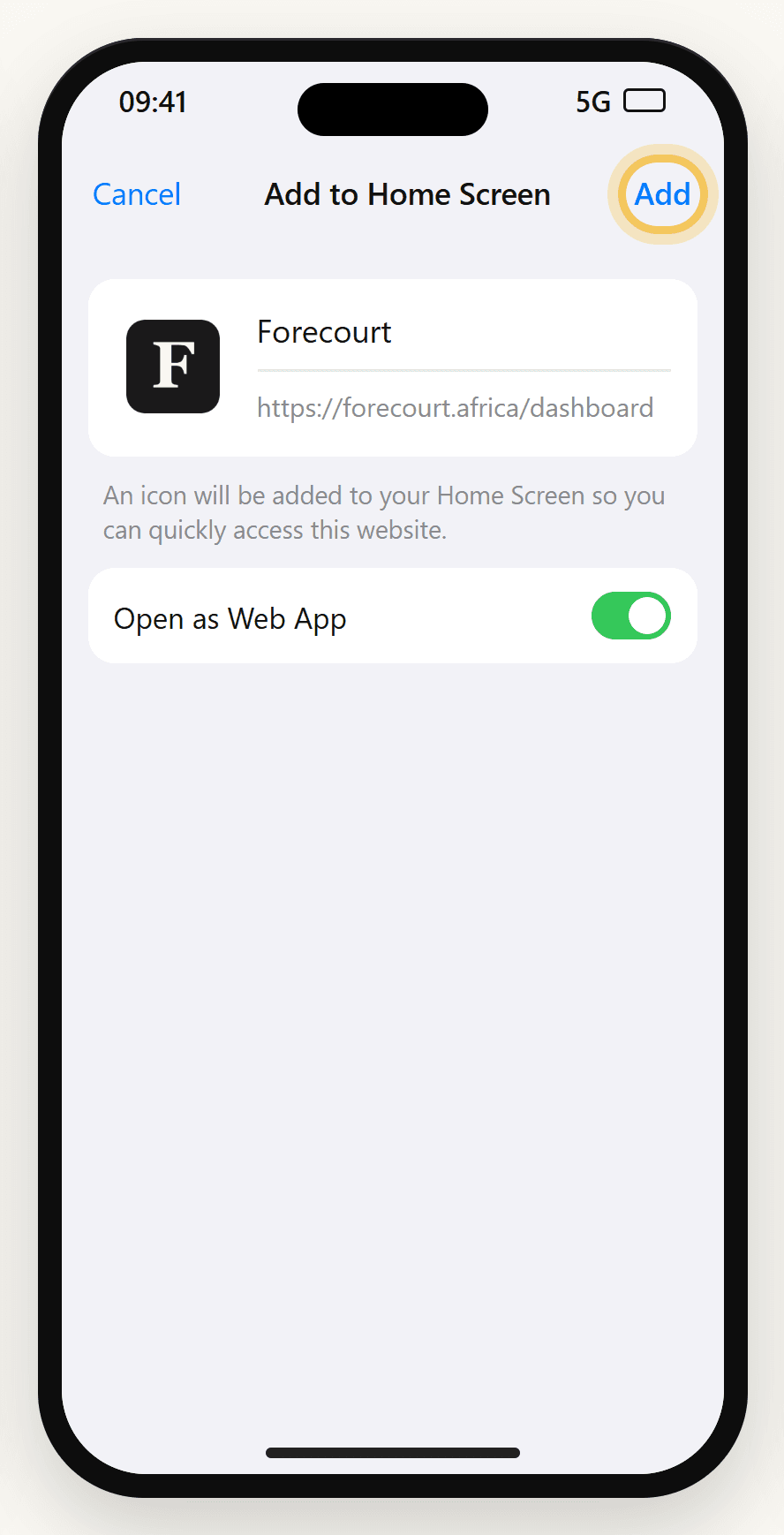
Tap Add
Keep the name as Forecourt. If you see “Open as Web App”, leave it switched on.
- 04
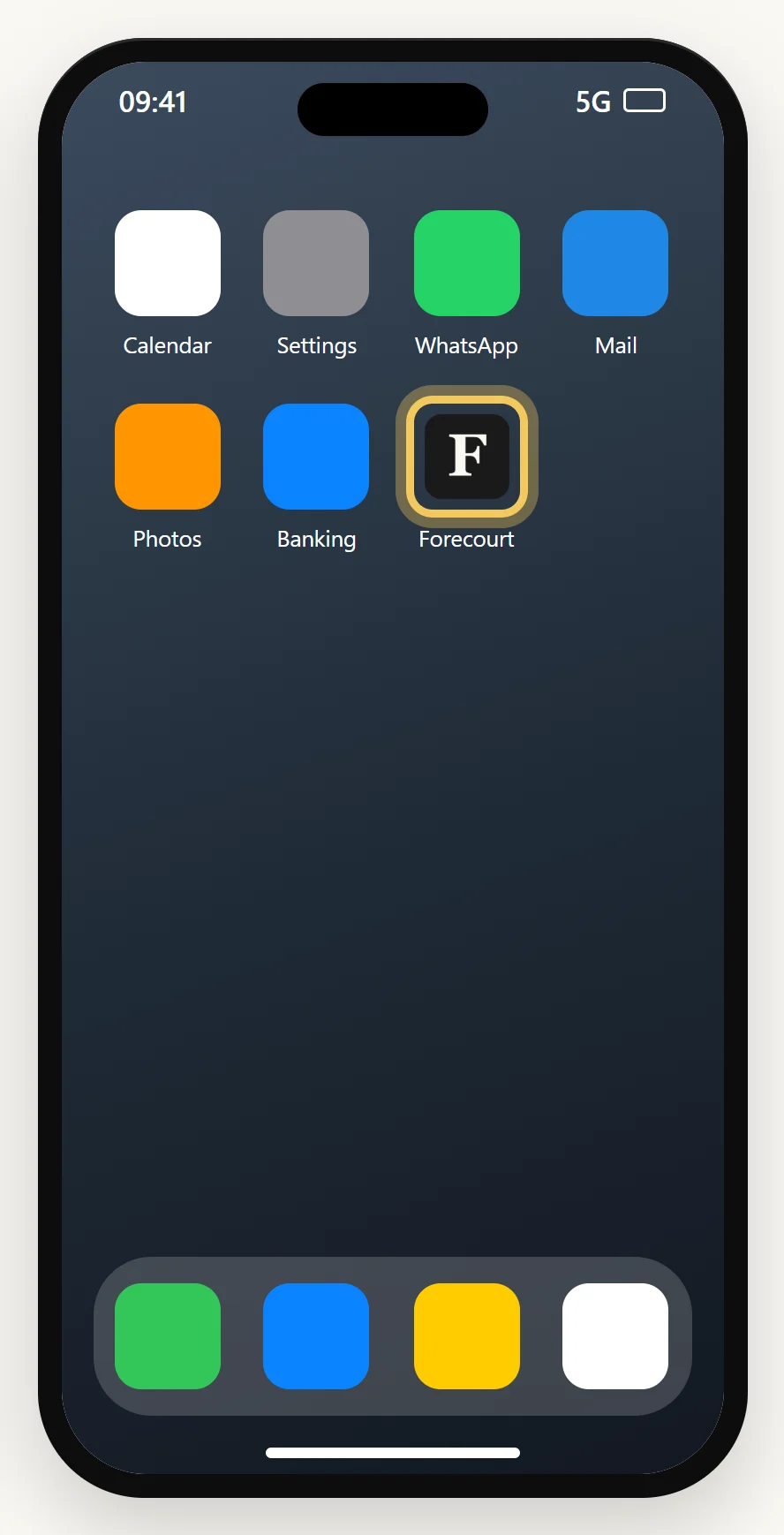
Open Forecourt from your home screen
Sign in once. From now on, always open Forecourt from this icon, not from Safari.
Shown in Chrome. Samsung Internet and Edge have the same option in their menu.
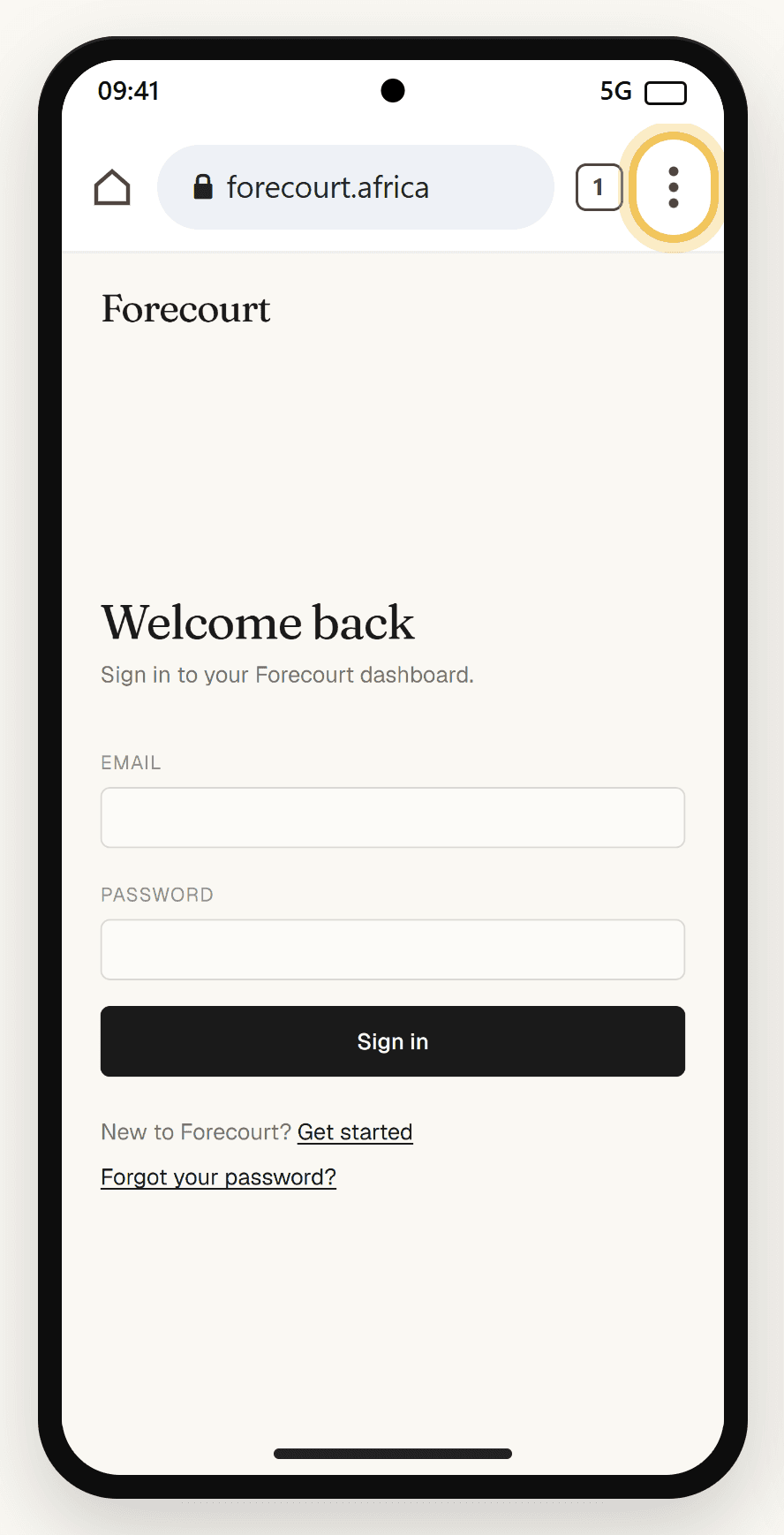
- 01
Tap the menu ⋮
Open forecourt.africa in Chrome and tap the three dots at the top right.
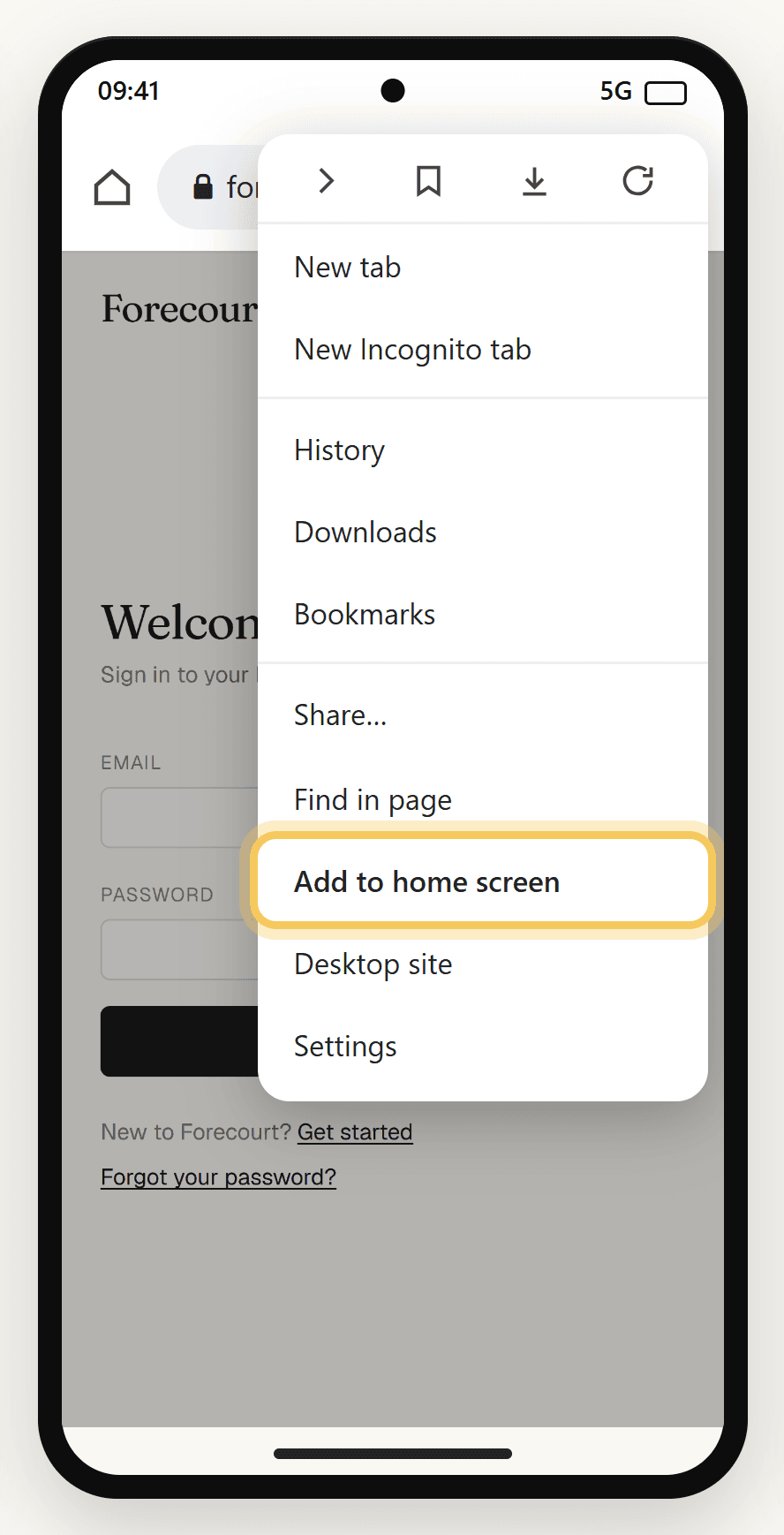
- 02
Tap Add to home screen
On some phones this says Install app instead. Either one works.
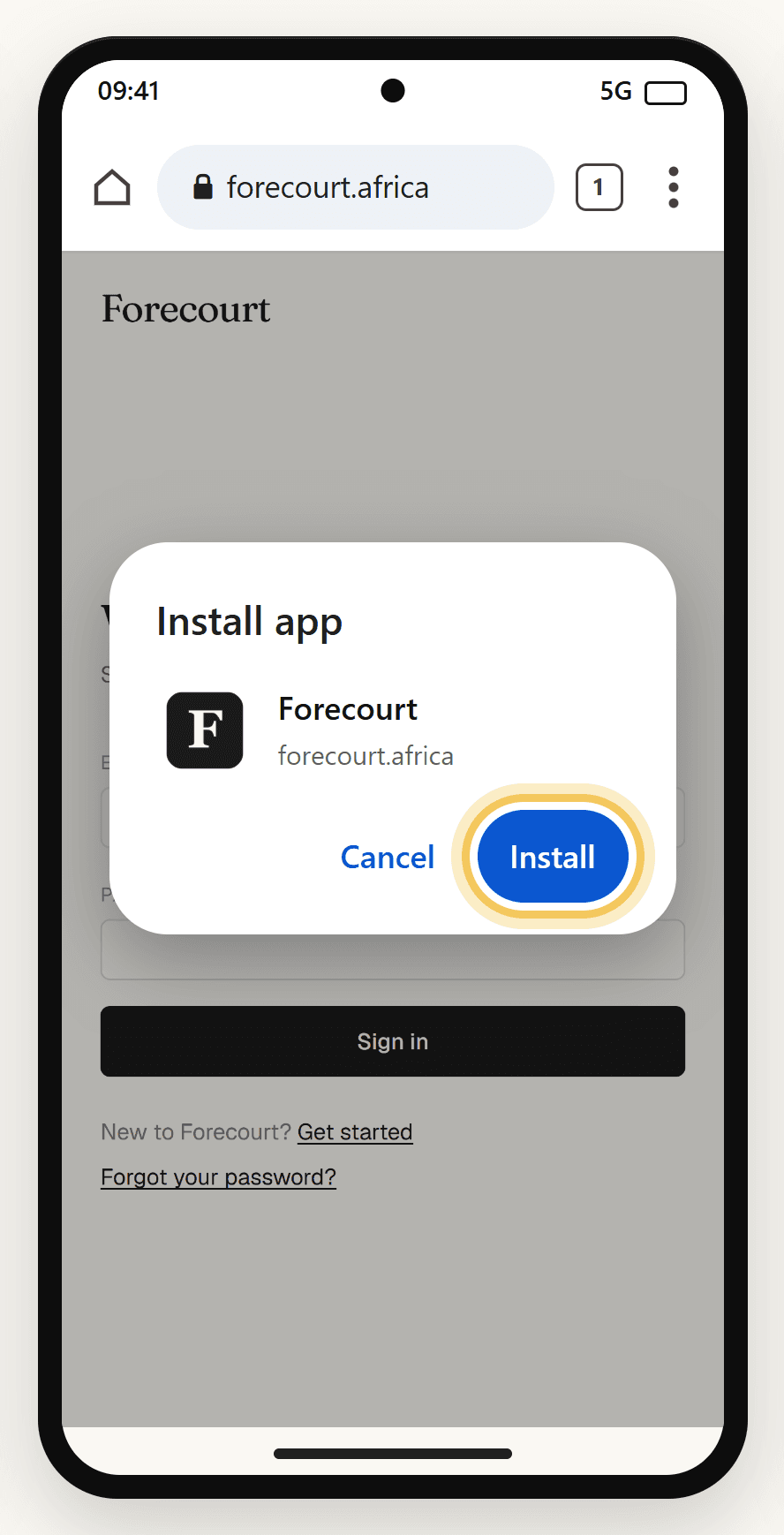
- 03
Tap Install
If you're asked to choose between Install and Create shortcut, pick Install.
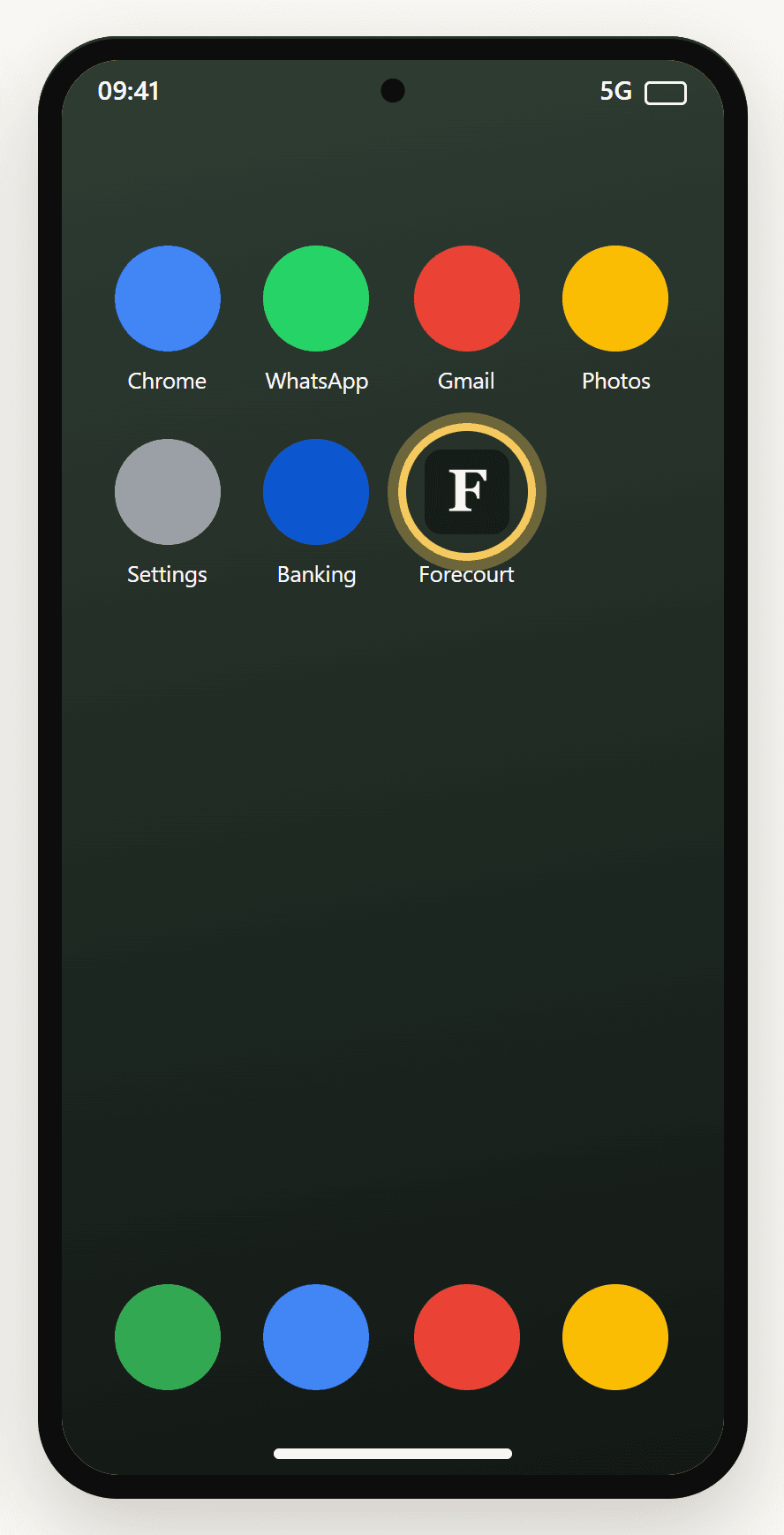
- 04
Open Forecourt from your home screen
It may take a few seconds to appear. Sign in once and it stays signed in.
Turn on alerts
Open Forecourt from the icon, find the “Get notified” card on the dashboard (station managers and owners see it), tap Enable, then tap Allow. On iPhone, notifications only work in the home-screen app.
Do I need a Zoho Books account already?
It helps, but it's not required. Forecourt connects to Zoho Books to reconcile your daily station data against your accounts. If you don't have Zoho yet, we can help you migrate as part of onboarding.
How does Forecourt get my station data?
Forecourt pulls your station data on scheduled syncs — typically overnight, so your reports are ready by morning. Your team doesn't have to enter anything manually after the initial setup.
Can I use Forecourt for multiple stations?
Yes. Each station has its own data and reports; you can also see consolidated reports across stations. Pricing is per station, with bulk discount on multiple sites — get in touch for a quote.
What reports do I actually get?
Every morning: a daily shift summary and bank reconciliation for each station. On demand: monthly P&L, balance sheet, cash flow, and a management accounts pack with visual summaries — top expenses, monthly performance trends, and asset composition. All formatted for your accountant.
Is there a phone app?
Yes, and it installs straight from the website, with nothing to download from an app store. On iPhone, open forecourt.africa in Safari, tap Share and choose Add to Home Screen. On Android, open it in Chrome, tap the ⋮ menu and choose Add to home screen or Install app. The install section above shows each step. Once it's on your home screen, managers can turn on alerts for fuel deliveries and other issues.
How long does onboarding take?
About one to two business days from sign-up to your first daily report. We handle the Zoho integration and station setup; you just need to give us access and confirm your station details.
What if my accountant uses a different system?
Forecourt is built around Zoho Books for daily reconciliation, so Zoho is required for the integration. The Excel reports we generate are standard format and work with most accounting software for review.
Is my data secure?
Yes. Forecourt is built on enterprise-grade infrastructure with encryption in transit and at rest. Your station data stays in your own account; we don't share data across customers, and your access is locked to your verified email.
What format are reports delivered in?
Excel (.xlsx). You can download each report directly or have it emailed to you. Spreadsheets open in Excel, Numbers, or Google Sheets, and forward easily to your accountant.
What if I need help?
Email support@forecourt.africa or call 087 265 2109. Forecourt is South Africa-based, so support is local. We typically respond within one business day.
How does billing work?
Monthly subscription per station, billed in advance. No long-term contracts — cancel anytime. Setup is included. Get in touch for a quote.